Digital System Design
Publisher Description
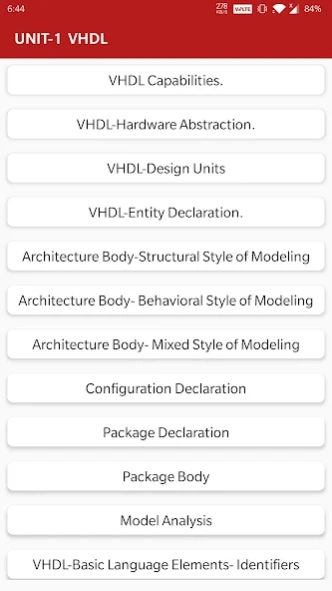
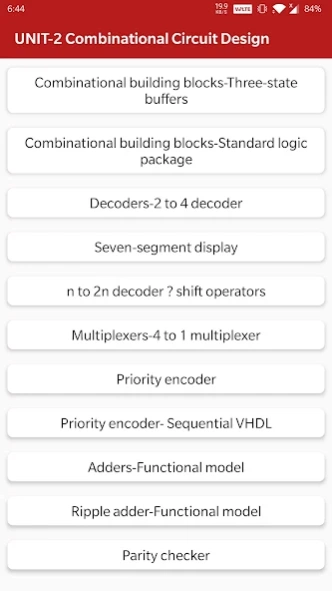


Handbook of Digital System Design with diagrams, learn a topic in a minute
The app is a complete free handbook of Digital System Design which covers important all topics with detailed notes, diagrams, equations, formulas & course material.
The App is designed for quick learning, revisions, references at the time of exams and interviews.
Download the App as a reference material & digital book for electronics, computer science, electrical engineering programs & degree courses.
This Engineering eBook cover most of related topics and Detailed explanation with all the basics topics.
Some of the topics Covered in the Digital System Design app are:
1. Multiple Processes
2. Architecture Body-Dataflow Style of Modeling
3. Introduction to VHDL.
4. VHDL Capabilities.
5. VHDL-Hardware Abstraction.
6. VHDL-Design Units
7. VHDL-Entity Declaration.
8. Architecture Body-Structural Style of Modeling
9. Architecture Body- Behavioral Style of Modeling
10. Architecture Body- Mixed Style of Modeling
11. Configuration Declaration
12. Package Declaration
13. Package Body
14. Model Analysis
15. VHDL-Basic Language Elements- Identifiers
16. VHDL-Basic Language Elements-Data Objects
17. VHDL-Data Types
18. Data Types-Scalar Types
19. Data Types-Scalar Types-Enumeration Types
20. Data Types-Scalar Types-Integer Types
21. Data Types-Scalar Types-Floating Point Types
22. Composite Type-Array Types
23. Record Types
24. Record Types
25. Access Types
26. Incomplete Types
27. File Types
28. Operators
29. Behavioral Modeling-Entity Declaration
30. Behavioral Modeling-Architecture Body
31. Behavioral Modeling-Process Statement
32. Behavioral Modeling-Variable Assignment Statement
33. Behavioral Modeling-Signal Assignment Statement
34. Behavioral Modeling-Wait Statement
35. Behavioral Modeling-Case Statement
36. Behavioral Modeling-If Statement
37. Behavioral Modeling-Null Statement and Loop Statement
38. Behavioral Modeling- Next Statement and Exit Statement
39. Behavioral Modeling-Assertion Statement
40. Behavioral Modeling- Inertial Delay Model and Transport Delay Model
41. Behavioral Modeling-Signal Drivers
42. Behavioral Modeling-Effect of Transport Delay on Signal Drivers
43. Effect of Inertial Delay on Signal Drivers
44. Dataflow Modeling-Concurrent Signal Assignment Statement
45. Dataflow Modeling-Delta Delay Revisited
46. Dataflow Modeling- Conditional Signal Assignment Statement
47. Dataflow Modeling-Selected Signal Assignment Statement
48. Dataflow Modeling-Concurrent Assertion Statement
49. Dataflow Modeling-Block Statement
50. Structural Modeling-Component Declaration
51. Structural Modeling-Component Instantiation
52. Structural Modeling- Resolving Signal Values
53. Packages-Package Declaration
54. Packages-Package Body
55. Design Libraries
56. Design File
57. Implicit and Explicit Visibility
58. Explicit Visibility-Library Clause and Use Clause
59. Subprograms
60. Functions
61. Procedures
62. Subprogram declaration
All topics are not listed because of character limitations.
Each topic is complete with diagrams, equations and other forms of graphical representations for better learning and quick understanding.
Features :
* Chapter wise complete Topics
* Rich UI Layout
* Comfortable Read Mode
* Important Exam Topics
* Very simple User Interface
* Cover Most Of Topics
* One click get related All Book
* Mobile Optimized Content
* Mobile Optimized Images
This app will useful for quick reference. The revision of all concepts can be finished within Several hour using this app.
Digital System Design is part of electronics, computer science & electrical engineering education courses and technology degree programs of various universities.
Instead of giving us a lower rating, please mail us your queries, issues and give us valuable Rating And Suggestion So we can consider it for Future Updates. We will be happy to solve them for you.
About Digital System Design
The company that develops Digital System Design is Engineering Wale Baba. The latest version released by its developer is 1.0 .
To install Digital System Design on your Android device, just click the green Continue To App button above to start the installation process. The app is listed on our website since 2026-10-03 and was downloaded 0 times. We have already checked if the download link is safe, however for your own protection we recommend that you scan the downloaded app with your antivirus. Your antivirus may detect the Digital System Design as malware as malware if the download link to engg.hub.digital.system.design is broken.
How to install Digital System Design on your Android device:
- Click on the Continue To App button on our website. This will redirect you to Google Play.
- Once the Digital System Design is shown in the Google Play listing of your Android device, you can start its download and installation. Tap on the Install button located below the search bar and to the right of the app icon.
- A pop-up window with the permissions required by Digital System Design will be shown. Click on Accept to continue the process.
- Digital System Design will be downloaded onto your device, displaying a progress. Once the download completes, the installation will start and you'll get a notification after the installation is finished.
Program Details
System requirements
Download information
Pricing
Version History
version
posted on 2026-10-03
✨ What’s New
• Added Premium Purchase option for an enhanced, ad-free experience.
• Improved app stability and performance.
• Fixed minor bugs and improved overall user experience.
• General improvements and optimizations.
